
Once you have added or set up your agreements you can now attach them to services so they can be used in new jobs.
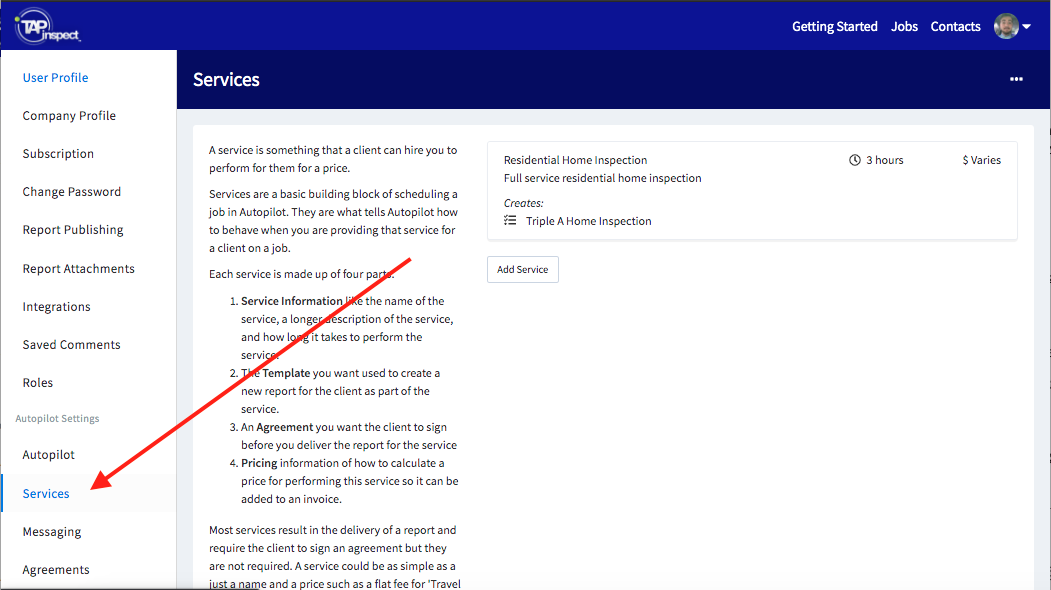
- From the Services settings of your web account tap on the Service that you want add the agreement.
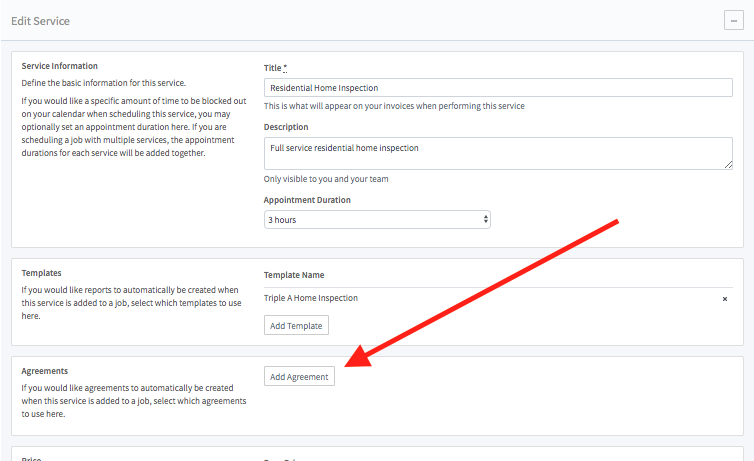
- Tap on Add Agreement in the Agreements section of the Edit Service page.
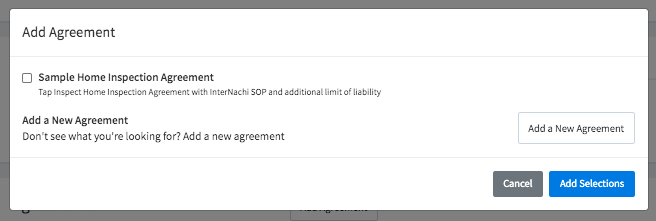
- Select the agreement you want added to this service or Add a New Agreement to your account. Then tap Add Selections.
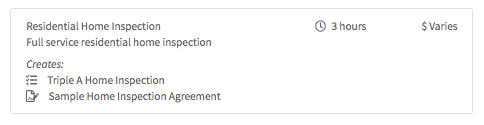
- Once you Save Changes made to the Service you can see the template and an agreement associated with the service.
Comments
2 comments
I would like the( General Home Inspection Agreement) attached to all my future home inspections. I have been trying to get auto pilot to cooperate and do this, with no progress..Auto pilot always leads me from one direction to another and back to where I started. So I'am asking if tap inspect can install this on my future home inspections. Gerald Wacker (Jerry) email add. jerry.wacker251@gmail.com ph.no.701-590-1281 Thank you
Jerry,
We are not able to add or edit Agreements on your behalf, primarily because they are legal contracts between you and your customer, and we are not legal experts.
If you have any questions about adding and editing your Agreements, please submit a support request HERE or Request Support via SMS Texting to avoid your inbox or spam. We will be happy to help.
Please sign in to leave a comment.